Day ToastChronicleWorld FirstAdmin NoteSeason Layer
Press O to open Chronicle
Roleplay Progress Chronicle
TimelineDate System, Chronicle, Hall of Fame
Timeline records your world history as it happens: advancement milestones, world-first moments, and curated admin notes.
It turns progression into a shared historical record instead of isolated chat messages and forgotten popups.
Each new in-game day triggers a styled toast with top/bottom ornaments framing the current in-world date.
The date string follows your configured calendar definition (month names, days per month, year suffix), and the toast font can be switched client-side.
Server settings are authoritative, so all clients see the same calendar definitions and progression.
02
Chronicle Screen
Press O to open
Loading image of Chronicle Screen
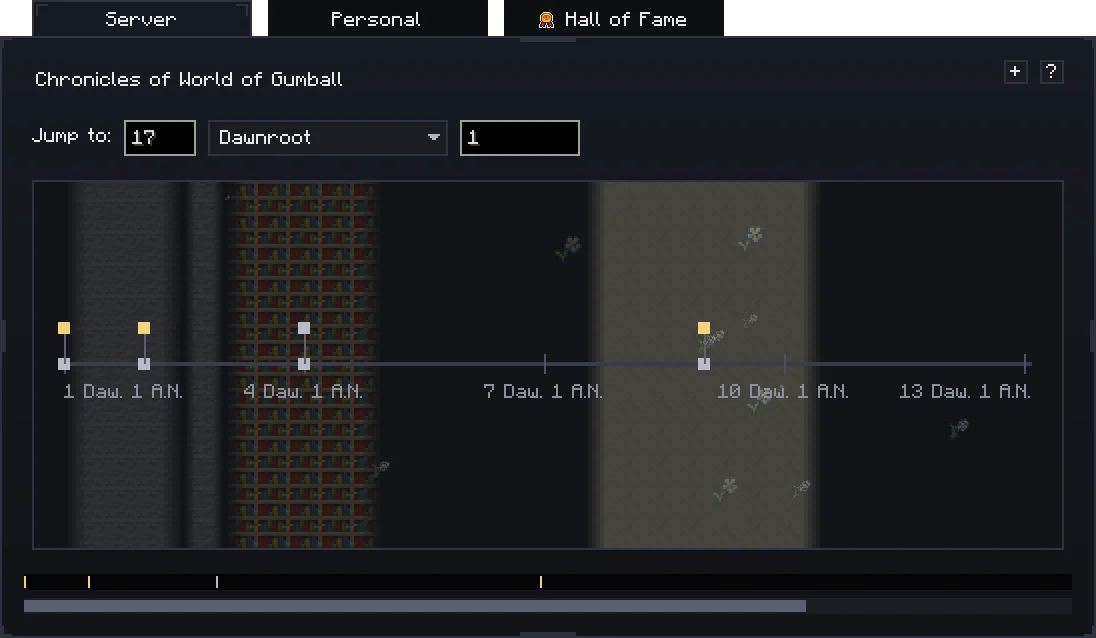
Timeline opens with a dedicated keybind and renders a near-fullscreen chronicle with server and personal views.
Entries group by time slices and support zoom/scroll behavior for day, week, month, and year-style browsing.
03
World-First Tracking
First completion wins
Displayable advancements are recorded and compared so the first player to complete each one is preserved as a world-first.
World-first events are highlighted and feed directly into Hall of Fame ranking.
04
Hall of Fame
Persistent leaderboard
Loading image of Hall of Fame
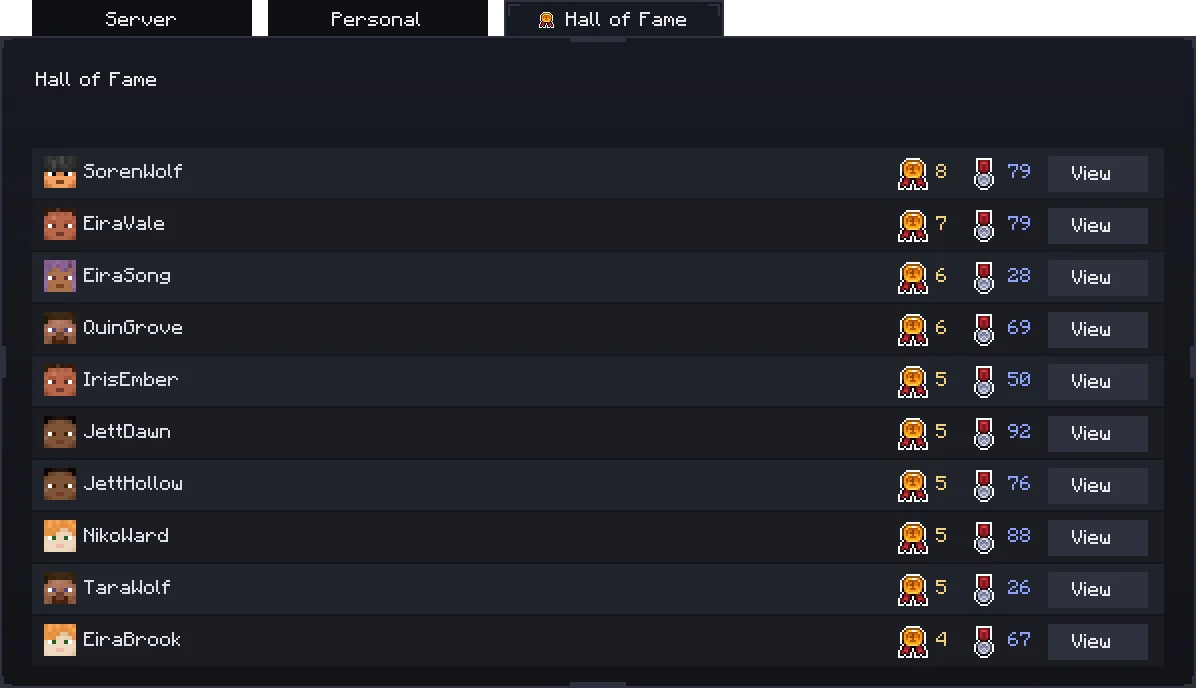
Hall of Fame aggregates world-first counts per player and exposes detail drill-down for each entry.
This creates persistent recognition for long-running servers and roleplay worlds.
05
Admin Notes
Manual event authoring
Admins can add timeline notes directly into the chronicle with title, description, scope, and date controls.
Notes can be aligned to current day or backdated for story arcs and retrospective world events.
06
Custom Goals
break_block / kill_mob / get_item
Server owners can define custom goal milestones in config using supported goal types and threshold counts.
Goal progress is tracked on server events and converts into chronicle entries when thresholds are met.
07
Retroactive Import
Startup importer
Timeline can run retroactive advancement import to backfill old worlds with already-completed displayable milestones.
The import path is idempotent and supports recipe filtering plus real-day mapping behavior.
08
Seasons
Season-aware timeline rendering
Spring
Summer
Autumn
Winter
Chronicle overlays season particles directly on the timeline: spring growth cycles, summer sun rays, autumn leaf/acorn drift, and winter falling ice.
When Serene Seasons is installed, Timeline reads its live season cycle; otherwise it uses your configured season-month mapping.
Credits Art + Systems
Core Credits
Author and development: Z2SIX
Seasonal icon set in Timeline GUI: courtesy of Glionox
Review the license page for redistribution, derivative use, and asset rights details before reusing any Timeline materials.
Assets excluded from license: icons used for seasonal effects (acorn, flower stages, ice variants, leaf), courtesy of Glionox.