











Souls, Statues, Infinite Enhancement
Infinite UpgradesAngel Balance, Demon Power, Soul-Fueled Gear
Infinite Upgrades brings MMO-style enhancement into Minecraft without handing the result to the client. Defeat mobs for souls, store them in a Soul Cage, choose an Angel or Demon ritual, then risk the roll for a permanent +level.
Install Notes
Compatibility Client, Server, Integrations
Client
Server
Singleplayer
Required
Supported
Supported
Core Loop
Choose A Side Then Pay In Souls

Angel Statue
Balanced infusions apply the configured step across every eligible stat on success, making Angel the steady route for weapons, armor, and tools.

Soul Cage
Carry a Soul Cage while fighting to attract and store soul units from dropped soul orbs. The cage pays the cost of each infusion attempt.
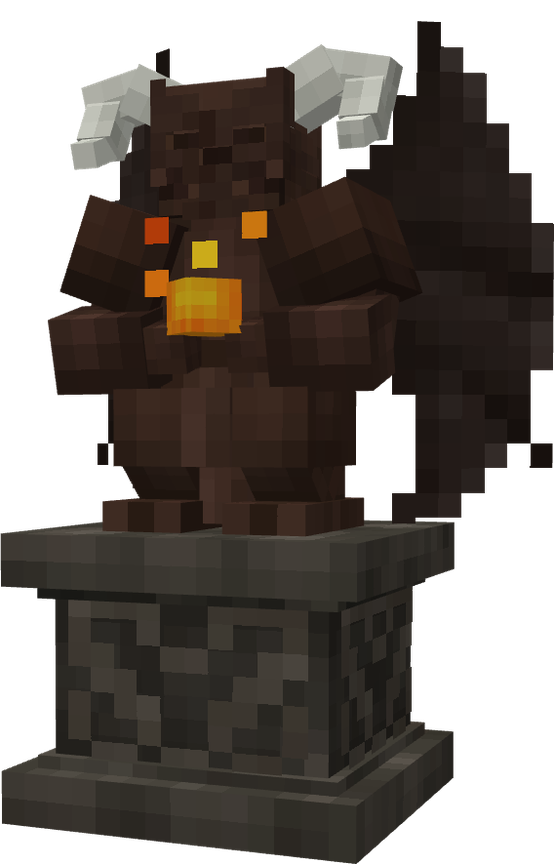
Demon Statue
Demon infusions pick one eligible stat and push it harder, trading consistency for min-max spikes and a sharper reputation commitment.
Features
The mod is built around a server-owned loop: soul collection, ritual choice, success chance, reputation movement, and item history.
Balanced Growth
On success, Angel touches every eligible stat using the configured step and Angel multiplier. It is the stable path for broad upgrades.
- Applies to all eligible combat stats.
- Includes Block Speed for mining tools.
- Rewards Angel-leaning reputation.
Focused Spikes
On success, Demon picks one eligible stat with weighted selection and applies the Demon multiplier. It is built for min-max gear.
- Chooses one eligible attribute.
- Uses rule weights for stat selection.
- Rewards Demon-leaning reputation.
Systems
Built For Gear Progression And Server Tuning
Every success writes permanent history
Items store a canonical +level, per-stat totals, frozen base values, and upgrade history. Tooltips read that data back as colored +levels and stat percentages without rewriting the item's custom name.
Soul drops are active, clumped, and cage-bound
Soul orbs only drop near players, merge within a short radius, hover in-world, home to players carrying a Soul Cage, and credit stored units into the first cage they find.
Alignment changes the next roll
Angel attempts move reputation positive, Demon attempts move it negative. Matching your side adds chance; crossing over applies a configurable reduced penalty until your reputation shifts.
A pack maker's tuning surface
Admins can tune max level, flat or exponential chance curves, exact overrides, soul costs, per-attribute rules, ritual multipliers, final stat multipliers, and rewrite old upgraded items after balance changes.
Admin Tools Rebalance Without Starting Over
Operator commands can inspect and change a player's unified reputation, while the rewrite command recalculates upgraded stacks in online inventories, ender chests, and loaded containers against the current config. This lets servers rebalance the progression curve without abandoning existing gear.
Credits Code + Assets
Core Credits
- Author and development: Z2SIX
- Project visuals and provided page assets: Z2SIX / commissioned Infinite Upgrades assets
Legal License + Scope
Custom license: Z2SIX Mod License (Code + Assets)